
Bluedot Review 2026: Is This Bot-Free AI Meeting Assistant Worth It?
Bluedot takes a different approach to AI meeting notes. Instead of relying only on a bot that joins your calls, it can capture conversations directly through browser, desktop, mobile and Apple Watch workflows.
That makes it particularly interesting for freelancers and consultants who want meeting transcripts and AI notes without adding another participant to every call.
But Bluedot has expanded beyond bot-free meeting capture. It now also supports a meeting bot, CRM workflows, AI Chat, speaker insights and recordings outside traditional video meetings.
So is it actually worth paying for?
This review looks at what Bluedot does, how its recording options work, what you get at each price point, and where the product may or may not fit a freelancer workflow.
Affiliate disclosure: We may earn a commission if you purchase through our links, at no extra cost to you.
Bluedot
- Starting price
- Free, paid from $14/user/mo billed annually
- Best for
- Freelancers who want flexible bot-free, mobile and meeting-bot capture.
- Free plan
- Yes: 5 lifetime meetings
Bluedot at a Glance
| Product | Bluedot |
| Type | AI meeting and conversation notetaker |
| Best known for | Bot-free meeting recording |
| Also supports | Bot-based meeting capture, mobile recording, desktop capture, AI notes, speaker insights and CRM workflows |
| Free plan | Yes: 5 lifetime meetings |
| Starting paid price | $14/user/month when billed annually |
| Monthly starting price | $18/user/month |
| ConfidencePilot rating | 4.2 / 5 |
| Primary audience | Freelancers, consultants, agencies, recruiters, sales professionals and small teams |
What Is Bluedot?
Bluedot is an AI meeting and conversation notetaker designed to capture conversations, generate transcripts and turn them into structured notes.
Its original identity was closely tied to browser-based, bot-free meeting recording. In 2026, however, the product covers a much broader set of workflows.
Bluedot now offers browser and desktop capture, mobile recording, Apple Watch recording, meeting-bot capture, AI Chat, speaker insights, CRM and ATS workflows, webhooks and MCP connectivity.
That makes it less accurate to think of Bluedot as simply a Chrome extension for meeting notes.
It is better understood as a flexible AI conversation recording platform that can sit across meetings, calls and in-person conversations.
How Bluedot Records Meetings
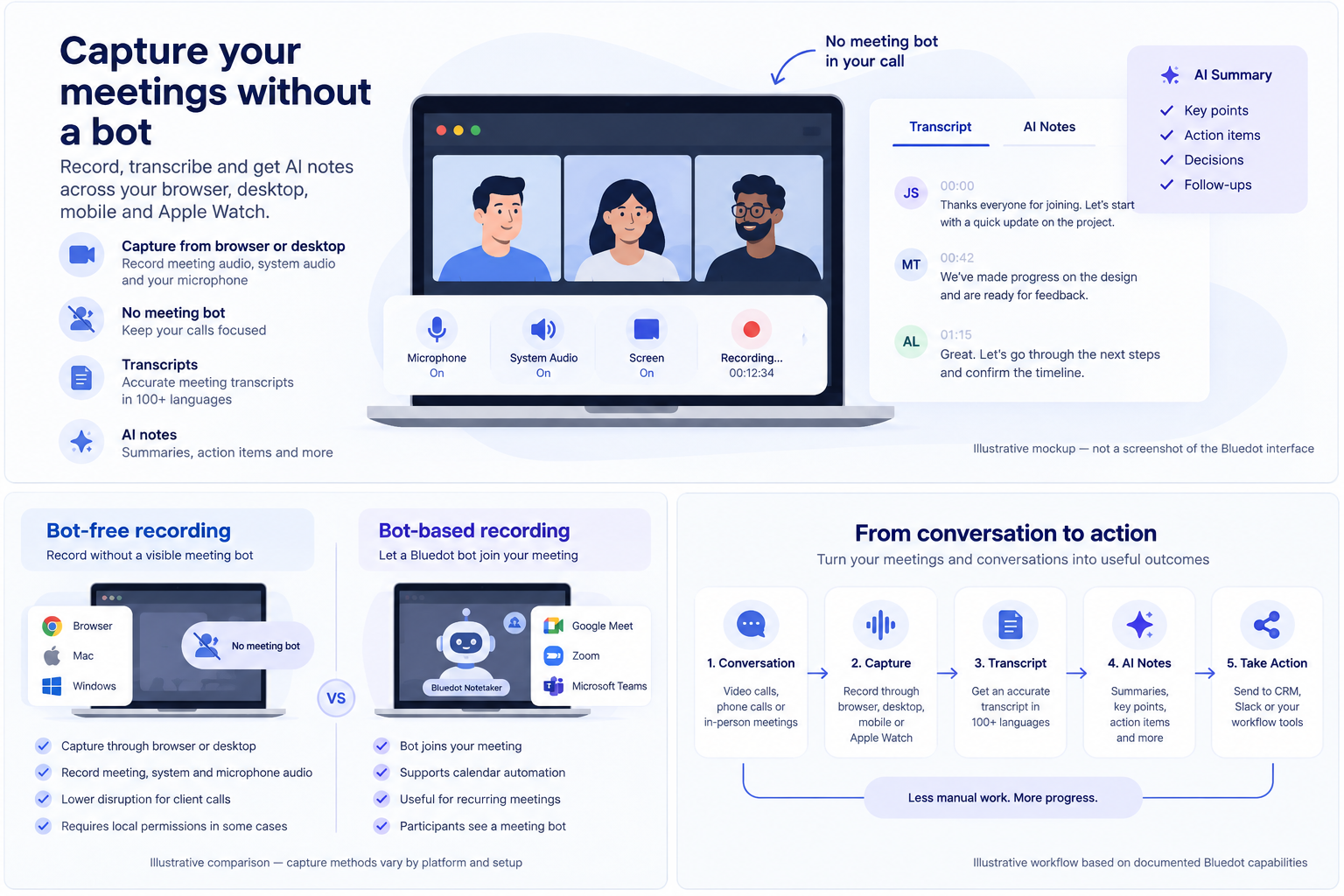
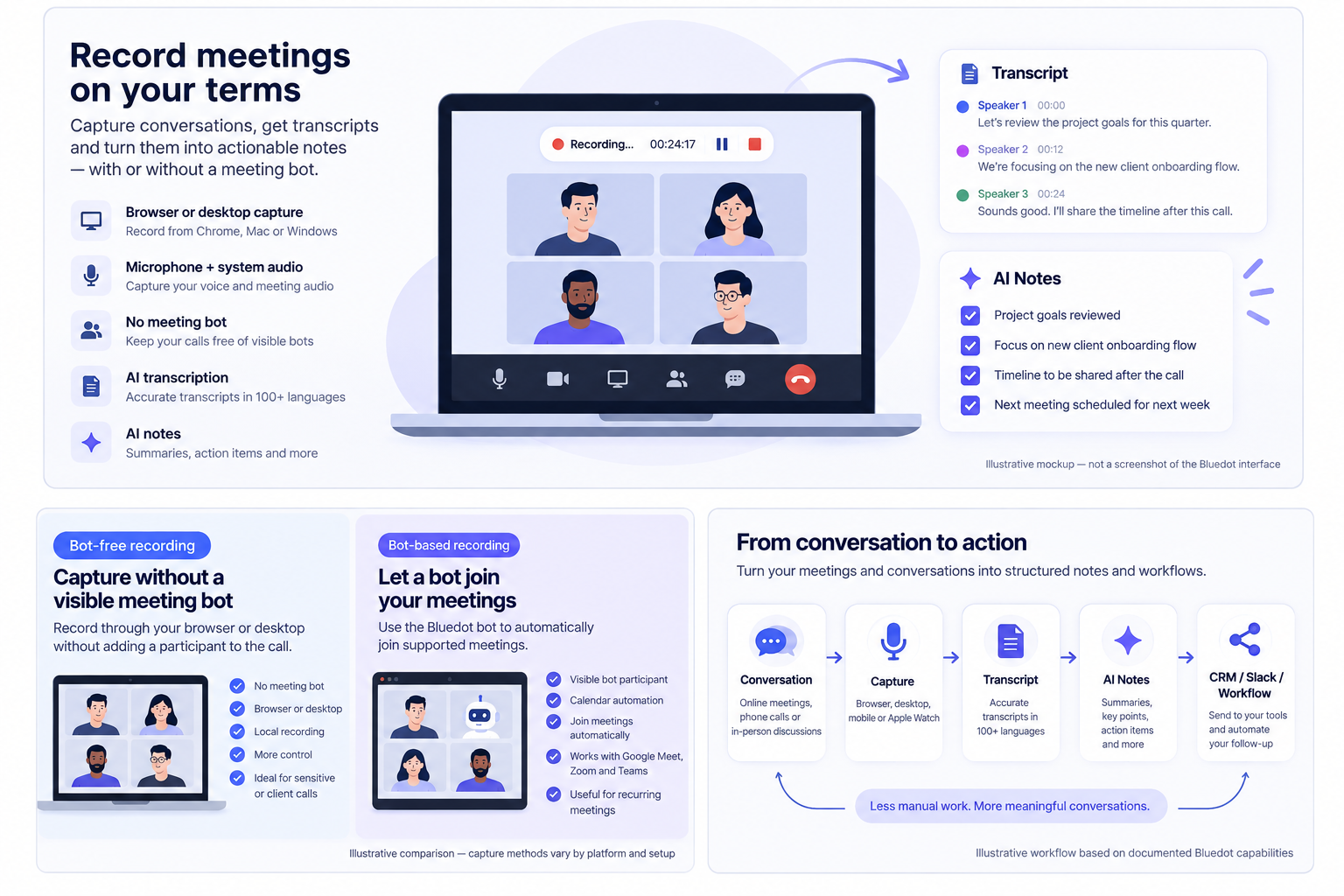
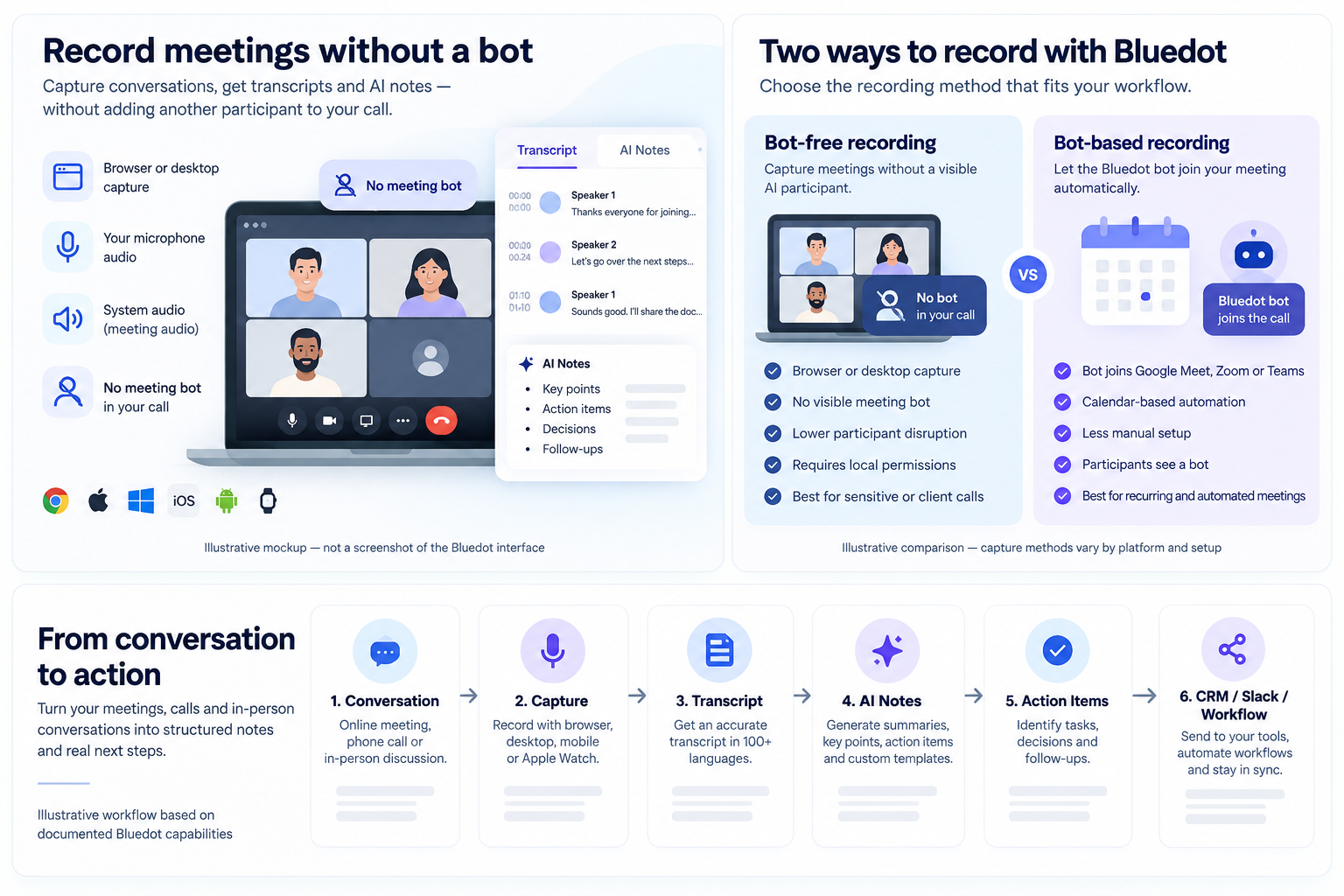
Bluedot supports two main recording approaches: local bot-free capture and a separate meeting-bot workflow.
Bot-free recording
Bluedot can capture meetings through browser or desktop recording without placing a visible Bluedot participant into the call.
The browser extension can capture meeting audio, system audio, microphone audio and optional camera video.
The Mac and Windows apps provide local recording controls and can capture meeting audio and screen content.
This approach is useful for people who do not want an AI participant visibly joining a client call. For other options, see our guide to the best AI meeting assistants without a bot.
However, bot-free does not mean completely invisible. Local recording still requires device permissions and, in some cases, system-audio sharing.
Bot-based recording
Bluedot also offers a separate meeting bot.
The bot can join supported Google Meet, Zoom and Microsoft Teams meetings, including through calendar-driven workflows.
This approach can reduce manual setup, but it introduces the familiar trade-off of having a visible AI participant in the meeting.
Bot-free vs bot-based
| Feature | Bot-free capture | Bot-based capture |
|---|---|---|
| Visible AI participant | No | Yes |
| Browser/desktop setup | Required | Less manual in automated workflows |
| Calendar automation | More limited | Stronger |
| Participant perception | Lower disruption | Participants see a bot |
| Local recording permissions | Required | Less relevant |
| Automatic joining | More limited | Supported |
| Best fit | Sensitive or client calls where bots are unwelcome | Automated recurring meetings |
The key advantage of Bluedot is not that it has eliminated meeting bots. It is that users can choose between different recording approaches depending on the situation.
Where Can You Use Bluedot?
Bluedot documents support for Google Meet, Zoom, Microsoft Teams, Slack Huddles, in-person conversations and phone conversations through supported device capture.
Its available apps and capture tools include a Chrome extension, Mac and Windows applications, iOS, Android and Apple Watch.
The exact recording capabilities are not identical across all platforms.
For example, Google Meet, Zoom and Teams are supported through several capture methods, while some browser-based workflows have different speaker-recognition behavior.
Feature availability should therefore be checked for the specific device and capture method you plan to use.
Bluedot for In-Person Meetings and Mobile Recording
One of Bluedot's more unusual features is that it extends beyond traditional video calls.
Its mobile apps can record in-person conversations, while the Apple Watch app introduced in Bluedot 2.1 is designed for quick recording of conversations on the go.
These recordings can then be turned into transcripts, structured notes, action items and CRM-ready information.
This makes Bluedot relevant to consultants, recruiters, coaches and professionals who regularly move between online and offline conversations.
Unlike meeting assistants built primarily around Zoom or Google Meet, Bluedot also targets conversations that happen away from a laptop.
Transcription and Language Support
Current Bluedot documentation says the product supports more than 100 languages, including French.
It can automatically recognize spoken languages and supports up to two languages per transcript.
This should not be interpreted as unlimited translation or unlimited multilingual transcription.
Speaker recognition is supported, but the behavior varies by recording method.
Zoom recordings made through the browser extension do not have the same speaker-recognition behavior documented for desktop capture.
Bluedot has published high accuracy claims, but the research available for this review does not provide a current independent benchmark that would allow ConfidencePilot to verify a specific accuracy percentage.
AI Notes, Summaries and Custom Templates
Bluedot can generate summaries, key points, action items, decisions, questions, follow-ups, structured notes and speaker insights.
Custom templates can be adapted for discovery calls, client meetings, project kickoffs, sales qualification, interviews, coaching, design reviews and weekly updates.
According to the current pricing and product information, custom templates are available on Pro.
For a freelancer, custom templates may be more useful than a generic summary because the output can be structured around a specific workflow.
Bluedot AI Chat
Bluedot's AI Chat lets users ask questions about a recording and can also work across multiple recordings or collections.
Example questions include: "What did the client approve?", "Which deadlines were mentioned?", "What concerns did the prospect raise?" and "What action items remain open?"
This creates a searchable layer over previous conversations, although it should not be overstated as a complete knowledge-management platform.
Speaker Insights
Bluedot documents speaker metrics including talk ratio, longest monologue, talking speed, questions asked and speaker-labelled playback.
These are useful descriptive indicators, particularly for sales calls, coaching or presentations, but they should not be treated as scientific proof of meeting quality or communication effectiveness.
Integrations and Workflow Automation
Bluedot documents integrations and workflow connections for HubSpot, Salesforce, Ashby, Notion, Slack, webhooks and MCP.
The HubSpot integration is documented as requiring Business plus calendar connectivity.
Webhook-based workflows can include meeting-end triggers.
MCP can expose recordings, notes, transcripts, participants and speaker information to connected AI clients.
The available documentation does not support treating every integration as full two-way synchronization.
Bluedot for CRM Workflows
Bluedot becomes more relevant to sales and agency workflows at the Business tier.
HubSpot can sync meeting information and contacts.
Salesforce workflows include meeting notes, field mapping and Voice-to-CRM capabilities.
For freelancers who already rely heavily on a CRM, these features can reduce manual post-call administration.
For freelancers who do not use a CRM, paying for the Business tier may not add much value.
Bluedot Pricing in 2026
| Plan | Monthly price | Annual effective price | Key allowances and features |
|---|---|---|---|
| Free | $0 | $0 | 5 lifetime meetings |
| Basic | $18/user/month | $14/user/month | Unlimited audio-only meetings; 1-hour maximum per meeting |
| Pro | $25/user/month | $20/user/month | Video; unlimited recording duration; custom templates; Zoom and Google Drive imports |
| Business | $39/user/month | $32/user/month | CRM/ATS; advanced workflows; SSO/SCIM; custom retention; unlimited imports |
| Flat Rate / Enterprise | Custom pricing | Custom pricing | Contact Bluedot for scope and terms |
Annual figures are effective monthly prices under annual billing. They are not presented here as temporary promotional prices.
Which Bluedot Plan Makes Sense for Freelancers?
Free
For occasional meetings and testing.
Basic
For freelancers who mainly need audio recording and regular transcription without video.
Pro
For freelancers who record video meetings, want unlimited meeting duration and need custom note templates.
Business
For agencies, sales consultants or teams that need CRM, ATS and advanced administration.
For many solo users, the decision comes down to whether video, custom templates and imports justify moving from Basic to Pro.
Is Bluedot's Free Plan Actually Useful?
The Free plan includes five meetings for the lifetime of the free workspace.
This is more substantial than a time-limited trial because the recordings are not simply restricted to a seven- or fourteen-day window.
But five meetings is not enough for sustained weekly client-call usage.
It is best treated as a practical way to test the recording workflow before paying.
Privacy and Security
According to Bluedot's current security documentation, Bluedot states that it has SOC 2 Type II controls, GDPR-related controls, AES-256 encryption at rest, TLS in transit, EU data residency options and Data Processing Agreements.
Bluedot also states that it does not use customer data to train or improve AI models.
These statements describe the company's published commitments and should not be read as independently verified technical conclusions from ConfidencePilot.
Bot-free recording does not remove the need to inform participants where required.
A visible bot and a local recorder have different user experiences, but both can involve privacy and recording-consent obligations.
This review does not provide jurisdiction-specific legal advice. Users should follow applicable laws, contracts and workplace policies.
What Users Say About Bluedot
At the time of this review, G2 reports a 4.8/5 rating from 223 reviews, Product Hunt reports 4.7/5 from 12 reviews, and Trustpilot lists 24 reviews.
These third-party figures are snapshots of user feedback, not proof that the product is objectively good.
Recurring positive themes
- Easy setup
- Bot-free recording
- Summaries
- Action items
- Templates
- Speaker labels
- CRM workflows
Recurring critical themes
- Speaker recognition issues in difficult audio
- Occasional upload problems
- Recording reliability complaints
- System-audio problems in some workflows
- Support concerns
These points reflect user reports and may not represent every account, device or recording setup.
Bluedot Pros and Cons
Pros
- Bot-free capture across several recording methods
- Bot-based recording is also available
- Online and in-person recording
- iOS, Android, Mac, Windows and Apple Watch support
- 100+ transcription languages according to current documentation
- Custom AI templates
- AI Chat
- Speaker Insights
- CRM and ATS workflows
- Webhooks and MCP
- Free plan with five lifetime meetings
Cons
- Basic is audio-only
- Video and unlimited meeting duration require Pro
- CRM and ATS functionality require Business
- Local capture can require device and audio permissions
- Speaker recognition varies by capture method
- Exact upload-format limits are not clearly consolidated
- User feedback includes recording and upload reliability complaints
- Free plan is five meetings lifetime, not five per month
- Bot-free capture does not remove recording-consent responsibilities
Who Is Bluedot Best Suited To?
Bluedot may suit freelancers who do frequent client calls, consultants who want structured meeting records, recruiters who need interview notes, agencies managing multiple client relationships, sales professionals using CRM workflows, professionals who prefer not to have a visible meeting bot and people who also record in-person conversations.
Who Might Prefer Another AI Meeting Assistant?
Bluedot may not fit users who only need simple transcription, rarely have meetings, want the smallest possible setup, prefer an entirely local or minimal note-taking workflow, do not need integrations or CRM automation, or want unlimited video on a lower-cost plan.
Some users may prefer a simpler bot-based meeting assistant, while others may prefer a minimalist bot-free tool.
Bluedot vs Other AI Meeting Assistants
| Tool | Capture | Bot-free options | In-person / mobile | AI notes | CRM / automation | Languages | Primary positioning |
|---|---|---|---|---|---|---|---|
| Bluedot | Browser, desktop, mobile, watch and bot | Yes | Yes | Yes | CRM, ATS, webhooks and MCP | 100+ | Flexible conversation capture |
| Fireflies | Meeting bot and documented app capture | See current product documentation | Mobile workflows | Yes | Broad integrations and CRM workflows | See current product documentation | Meeting intelligence and integrations |
| Fathom | Meeting capture with bot-free option | Yes | See current product documentation | Yes | CRM and workflow integrations | See current product documentation | Solo meeting notes with a generous free plan |
| Otter.ai | Live meeting transcription | See current product documentation | Mobile app | Yes | Workflow integrations | See current product documentation | Real-time transcription and cross-meeting search |
| Granola | Local audio capture | Yes | See current product documentation | Yes | See current product documentation | See current product documentation | AI-enhanced personal meeting notes |
| Fellow | Meeting bot, desktop and mobile options | Yes on documented workflows | Mobile recording | Yes | Project and CRM workflows | 100 | Meeting management around agendas and actions |
| tl;dv | Meeting recording and desktop capture | Yes | See current product documentation | Yes | CRM automation and integrations | See current product documentation | Video-first meeting records and clips |
These tools emphasize different workflows. The table does not identify an overall winner, and capabilities should be checked against current product documentation before purchase.
Is Bluedot Worth It for Freelancers?
Bluedot makes the most sense when the way you record meetings matters almost as much as the notes themselves.
Its bot-free capture options can be useful when a freelancer does not want a visible AI participant in a client conversation, while mobile, desktop and Apple Watch recording extend the product beyond standard video meetings.
The product becomes more compelling for freelancers who also use custom meeting templates, searchable meeting history, CRM workflows or in-person recording.
The trade-off is complexity.
Someone who only needs a transcript and a short summary may not need Bluedot's broader feature set. And once video, unlimited duration or CRM functionality become important, the paid tiers rise in price.
For freelancers, the key question is therefore less "Does Bluedot have enough features?" and more "Will I actually use its broader capture and workflow capabilities?"
ConfidencePilot Rating
| Category | ConfidencePilot score |
|---|---|
| Ease of Use | 4.2 / 5 |
| Features | 4.5 / 5 |
| AI Capabilities | 4.3 / 5 |
| Pricing | 4.0 / 5 |
| Integrations | 4.3 / 5 |
| Value for Money | 4.0 / 5 |
| Freelancer Suitability | 4.3 / 5 |
| Overall | 4.2 / 5 |
Because this review uses documented product information and third-party feedback rather than hands-on testing, the rating should be read as an editorial assessment.
How We Reviewed Bluedot
This review considered official product documentation, current pricing, feature availability, integrations, privacy and security documentation, third-party user feedback, competitor context and freelancer use cases.
No personal hands-on testing was performed for this review. Read the full ConfidencePilot methodology for how we research and score software.
Bluedot FAQ
Is Bluedot actually bot-free?
Bluedot supports bot-free recording through browser, desktop, mobile and Apple Watch workflows, but it also offers a separate meeting bot for supported platforms.
How much does Bluedot cost?
Bluedot has a Free plan, then Basic at $18/user/month, Pro at $25/user/month and Business at $39/user/month when billed monthly. Annual effective monthly prices are $14, $20 and $32 respectively.
Is Bluedot free?
Yes. The Free plan includes five lifetime meetings.
Does Bluedot work with Zoom?
Yes. Zoom can be recorded through supported browser, desktop and bot-based workflows. Capabilities can vary by capture method.
Does Bluedot work with Google Meet?
Yes. Bluedot supports Google Meet through browser, desktop and bot-based recording methods.
Does Bluedot work with Microsoft Teams?
Yes. Teams is supported through documented browser, desktop and bot-based workflows.
Does Bluedot work on mobile?
Yes. Bluedot has iOS and Android apps for supported recording workflows, including in-person conversations.
Does Bluedot have an Apple Watch app?
Yes. Bluedot launched an Apple Watch recording app in 2026.
How many languages does Bluedot support?
Current Bluedot documentation says more than 100 languages are supported. A transcript can contain up to two languages.
Does Bluedot integrate with HubSpot?
Yes. Bluedot documents a HubSpot integration, with the current documentation indicating Business-level requirements for the integration.
Does Bluedot record without participants knowing?
Bot-free means there is no visible meeting bot. It does not remove recording-consent responsibilities. Users should inform participants where required and comply with applicable rules and contracts.