
InVideo AI Review 2026
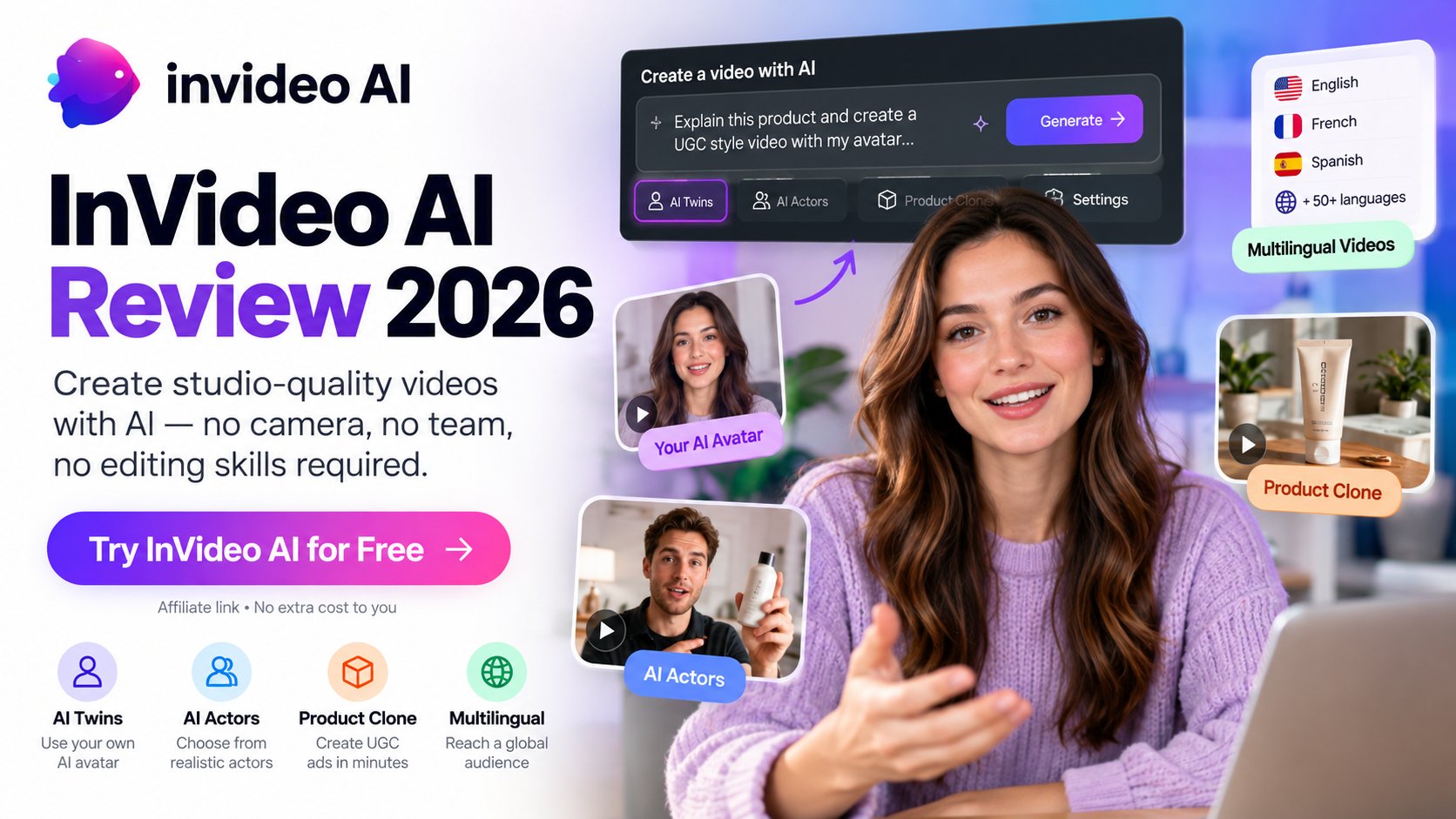
AI video creation has moved well beyond simple text-to-video generators.
InVideo AI now combines prompt-based video creation with AI avatars, AI actors, product-focused workflows, AI-powered editing and access to a wide range of generative models.
That makes it particularly interesting for freelancers, marketers and small businesses that need to produce marketing or social content without building a traditional video production workflow.
But there is an important question behind the feature list:
How much can you actually create for the price?
In this InVideo AI review, we look at its current features, AI Twins, AI Actors, Product Clone, pricing and credit system to see where the platform makes sense, and where the costs and limitations may matter.
InVideo AI at a Glance
| ConfidencePilot rating | 4.1/5 provisional (Provisional rating: subject to hands-on testing) |
| Best for | Freelancers, marketers and small businesses creating AI-powered video content |
| Free plan | Yes |
| AI video generation | Yes |
| AI Twins | Yes |
| AI Actors | Yes |
| Product Clone | Yes |
| Timeline editor | Yes |
- ConfidencePilot rating
- 4.1/5 provisional (Provisional rating: subject to hands-on testing)
- Best for
- Freelancers, marketers and small businesses creating AI-powered video content
- Free plan
- Yes
- AI video generation
- Yes
- AI Twins
- Yes
- AI Actors
- Yes
- Product Clone
- Yes
- Timeline editor
- Yes
Pricing, plan names and credit allowances can change. We verify pricing against the live InVideo pricing page before final publication.
Affiliate link. We may earn a commission if you subscribe through our link, at no extra cost to you.
Try InVideo AI
InVideo offers a free option, so you can explore it before choosing a paid plan.
Try InVideo AI for Free →What Is InVideo AI?
InVideo AI is an AI-powered video creation platform built around prompt-based generation and increasingly agentic workflows.
The platform can generate scripts, visuals, voiceovers, subtitles and sound effects, then allow users to revise the result through AI-assisted workflows and prompt-based editing.
Its current feature set goes well beyond basic text-to-video generation, with AI Twins, AI Actors, Product Clone workflows, AI agents and access to multiple generative models.
For freelancers and small businesses, the appeal is fairly straightforward: turn a brief into a video without starting every project from scratch.
But the platform is not simply an AI video generator anymore. InVideo also has a full timeline-based editor, meaning users can manually refine their projects without spending AI credits on those manual edits.
InVideo AI Features
| AI Video Generation | Turn a prompt or brief into a video with generated scripts, visuals, voiceovers, subtitles and sound. |
| AI Twins | Create a reusable digital avatar from your own footage and use it in generated videos. |
| AI Actors | Choose from human-cloned or virtual AI actors for marketing, product and UGC-style videos. |
| Product Clone | Use product information or a product URL in supported workflows to create product-focused video content. |
- AI Video Generation
- Turn a prompt or brief into a video with generated scripts, visuals, voiceovers, subtitles and sound.
- AI Twins
- Create a reusable digital avatar from your own footage and use it in generated videos.
- AI Actors
- Choose from human-cloned or virtual AI actors for marketing, product and UGC-style videos.
- Product Clone
- Use product information or a product URL in supported workflows to create product-focused video content.
AI Twins
AI Twins are personal digital avatars designed to let users create videos featuring a digital version of themselves.
InVideo currently documents two main avatar options.
Express avatars
Express avatars can be created using a short source video or a YouTube link. InVideo's documentation describes the process as a quicker way to create an avatar for use in generated videos.
Pro avatars
Pro avatars use substantially more source footage and are currently documented as requiring 200 credits to create.
InVideo describes its Pro avatars using "studio quality" language, but that is a company claim rather than an independently verified ConfidencePilot conclusion.
AI Twin creation also involves consent requirements, particularly when using footage or YouTube content.
One useful aspect is that avatars can be reused across different workflows rather than recreated for every video.
What we still need to test
Our hands-on testing will evaluate:
- avatar likeness
- voice naturalness
- lip sync
- generation time
- ease of creation
- editing control
- credit consumption
We will add those findings to this review after testing.
AI Actors
InVideo currently distinguishes between different types of actors, including human-cloned actors and virtual AI actors.
They can be used for:
- UGC-style ads
- product videos
- marketing videos
- explainer videos
- videos featuring multiple avatars
- product-focused content
This makes AI Actors particularly relevant for marketers and small businesses that want to create short promotional videos without filming themselves.
However, AI Actors should not automatically be considered a replacement for professional actors or production teams.
The bigger question is whether the resulting videos are convincing enough for real commercial use.
That is something we will test rather than assume.
Credit considerations
Some Pro actor workflows can consume significantly more credits than standard video generation.
This matters because the subscription price alone does not tell the full story of what video production will cost.
Product Clone
Product Clone is one of the more interesting parts of InVideo's current feature set.
In supported UGC workflows, users can provide a product or app link and allow InVideo to pull relevant product information and imagery into the project.
The workflow can then combine the product with an AI Actor or avatar to create product-focused content.
One important distinction is that InVideo's documentation separates Generative UGC Ads from Generative Media Ads.
Generative UGC Ads are designed around the cloned product, while Generative Media Ads generate visuals from scratch.
That distinction matters because simply providing a product URL does not necessarily mean every generation will use the cloned product.
What still needs testing
The existence of Product Clone is documented.
What we have not independently verified yet is:
- product accuracy
- logo and packaging consistency
- product appearance across multiple scenes
- consistency after regeneration
- how well complex products are reproduced
Those will be part of our hands-on test.
Explore InVideo's AI workflows
AI Twins, AI Actors and Product Clone are available to explore from InVideo's free option.
Try InVideo AI for Free →How InVideo AI Works
A typical AI workflow looks something like this:
- 1. Enter a prompt or product brief
- 2. Choose an AI workflow, model, actor or avatar
- 3. Let InVideo generate the initial video
- 4. Review the result
- 5. Refine the project using AI assistance or manual editing
- 6. Export the finished video
InVideo's AI agents can handle multiple parts of the process, including generating media and making changes to an existing project.
At the same time, InVideo now provides a full timeline editor.
Manual timeline editing does not consume AI credits, while AI generation and AI-assisted work do.
This is an important distinction for users who want to combine AI generation with traditional editing.
InVideo AI Pricing and Credits
InVideo's pricing is more complicated than a simple monthly subscription.
The platform uses credits for AI work, and different models and workflows can consume different amounts.
Current pricing and plan names are subject to change, so the live InVideo pricing page should always be checked before subscribing.
At the time of our latest pricing check, InVideo's current pricing page displayed plans including Basic, Pro and Ultra, with promotional annual pricing and different monthly credit allocations.
The exact price can vary depending on the promotion and plan configuration shown on the live pricing page.
How the credit system works
Credits can be used for AI-generated:
- video
- images
- voice
- music
- AI agent processing
- other generative workflows
Different models have different credit costs.
InVideo shows the expected credit cost before generation in relevant workflows, which is useful for controlling spending.
Unused subscription credits do not roll over into the next billing period.
Users can also purchase additional credits if they need more generation capacity.
Why credits matter
This is probably the most important thing to understand before subscribing.
The headline subscription price does not necessarily represent the true cost of producing a finished video.
A short video generated with a relatively inexpensive model may consume a modest number of credits, while premium models, AI actors, high-end generation and repeated iterations can consume considerably more.
That makes InVideo potentially excellent value for high-volume users who understand the credit system, but less attractive for users who want predictable unlimited AI video generation.
Manual editing
There is an important upside.
Manual editing on InVideo's timeline does not consume AI credits.
You can trim, split, rearrange and refine footage manually without spending your AI generation allowance.
This makes the platform more flexible than a purely generation-based tool.
Is InVideo AI Worth It for Freelancers?
For freelancers, InVideo's strongest advantage is the breadth of workflows it brings together.
Freelance marketers
Strong potential fit.
AI Actors, Product Clone and UGC workflows can be useful for producing advertising and social content variations.
Social media freelancers
Strong potential fit.
The ability to turn a concept into multiple short-form videos can be useful when volume and speed matter.
Copywriters
Interesting fit.
A strong script or content brief can be turned into a video without requiring the copywriter to learn a full traditional video-editing workflow.
Coaches and consultants
AI Twins could be particularly useful for recurring talking-head-style content, provided the avatar quality meets the user's expectations.
Small businesses
Potentially strong fit.
A small business can create product demonstrations, social videos and marketing content without filming every piece of content from scratch.
Where InVideo may be less suitable
InVideo may be less attractive for users who:
- need extremely precise frame-by-frame control
- already have advanced video-editing skills
- only produce a handful of videos per year
- require guaranteed product or logo fidelity
- want completely predictable AI generation costs
The platform appears strongest when speed, volume and variation matter more than fine-grained creative control.
Pros and Cons
Pros
- Broad AI video creation toolkit
- AI Twins
- AI Actors
- Product Clone
- AI-assisted editing
- Full timeline editor
- Strong marketing and UGC use cases
- Multiple AI models and workflows
- Multilingual capabilities
- Free plan available
Cons
- Credit consumption can become significant
- Credits do not roll over
- Advanced generation can be expensive in credits
- Output quality still needs hands-on evaluation
- AI generation does not provide the same control as traditional editing
- Free usage is limited
- Product fidelity still needs independent testing
InVideo AI Alternatives
| Tool | Best for |
|---|---|
| InVideo AI | AI-powered marketing, UGC and product videos |
| HeyGen | AI avatars and presenter videos |
| Synthesia | Business, training and corporate videos |
| Canva | Design, simple video creation and social content |
| CapCut | Social video editing |
| Runway | Generative video and creative experimentation |
There is no single best AI video tool for every workflow. The right alternative depends on whether you prioritize avatars, editing, social content, generative video or marketing production.
Who Should Use InVideo AI?
Best for
- Freelance marketers
- Social media freelancers
- Small businesses
- Content creators
- Agencies testing creative variations
- Users creating frequent marketing videos
Less suitable for
- Advanced video editors who want maximum manual control
- Users who create videos only occasionally
- Brands requiring extremely precise product representation
- Teams looking for completely predictable AI production costs
Final Verdict
InVideo AI has evolved into a much broader video creation platform than a simple text-to-video generator.
AI Twins, AI Actors, Product Clone, AI agents and the timeline editor give it a wide range of potential use cases for freelancers, marketers and small businesses.
The biggest question is the credit system.
A low headline subscription price does not necessarily mean inexpensive unlimited video production. Premium models, AI actors, repeated generations and other AI workflows can consume credits quickly, while unused subscription credits do not roll over.
For users who value speed, volume and experimentation, InVideo AI looks particularly compelling.
For users who need precise creative control or highly predictable production costs, the value proposition is less straightforward.
ConfidencePilot rating
4.1/5: Provisional
This rating is provisional because we have not yet completed our hands-on testing.
We will update the rating after testing:
- AI Twin creation
- AI Actor + Product Clone
- multilingual video creation
- actual credit consumption
- generation quality
- editing workflow
Our biggest question
Can InVideo's AI video workflows produce results that are good enough to justify the credits they consume?
That's what our hands-on testing will determine.
Try InVideo AI
Start with the free option and check the live pricing page before choosing a plan.
Try InVideo AI for Free →Affiliate link. We may earn a commission if you subscribe through our link, at no extra cost to you.
InVideo AI FAQ
Is InVideo AI free?
Yes. InVideo offers a free option that does not require a credit card. Free usage is limited and the available quota resets weekly.
How much does InVideo AI cost?
InVideo uses several paid plans with different credit allowances. Pricing and plan structures can change, so check the current official pricing page before subscribing.
Does InVideo AI have AI avatars?
Yes. InVideo offers AI Twins and other avatar options.
What are InVideo AI Twins?
AI Twins are reusable digital avatars created from user footage or supported source material.
What are InVideo AI Actors?
AI Actors include human-cloned and virtual actors that can be used in marketing, UGC and product videos.
What is Product Clone?
Product Clone allows supported workflows to use product information or a product link to incorporate a product into generated content.
Does InVideo AI use credits?
Yes. AI generation, models and agent-based workflows consume credits. The amount depends on the models and work performed.
Do InVideo AI credits roll over?
No. Unused subscription credits do not roll over to the next billing period.
Can I use InVideo AI for commercial projects?
InVideo provides commercial-use licensing for certain content and assets, but licensing can vary depending on the type of generated content, model and third-party assets involved. Users should check the current terms and applicable asset licenses before using content commercially.
Is InVideo AI good for freelancers?
It has strong potential for freelancers who need to create marketing, social, UGC or product videos quickly. However, the value depends heavily on how much AI generation the freelancer needs and how efficiently they manage credits.
ConfidencePilot reviews software independently. Some links may be affiliate links, which means we may earn a commission at no extra cost to you. Affiliate relationships never determine our ratings or recommendations.