
ClickUp Review 2026: Is ClickUp Worth It for Freelancers?
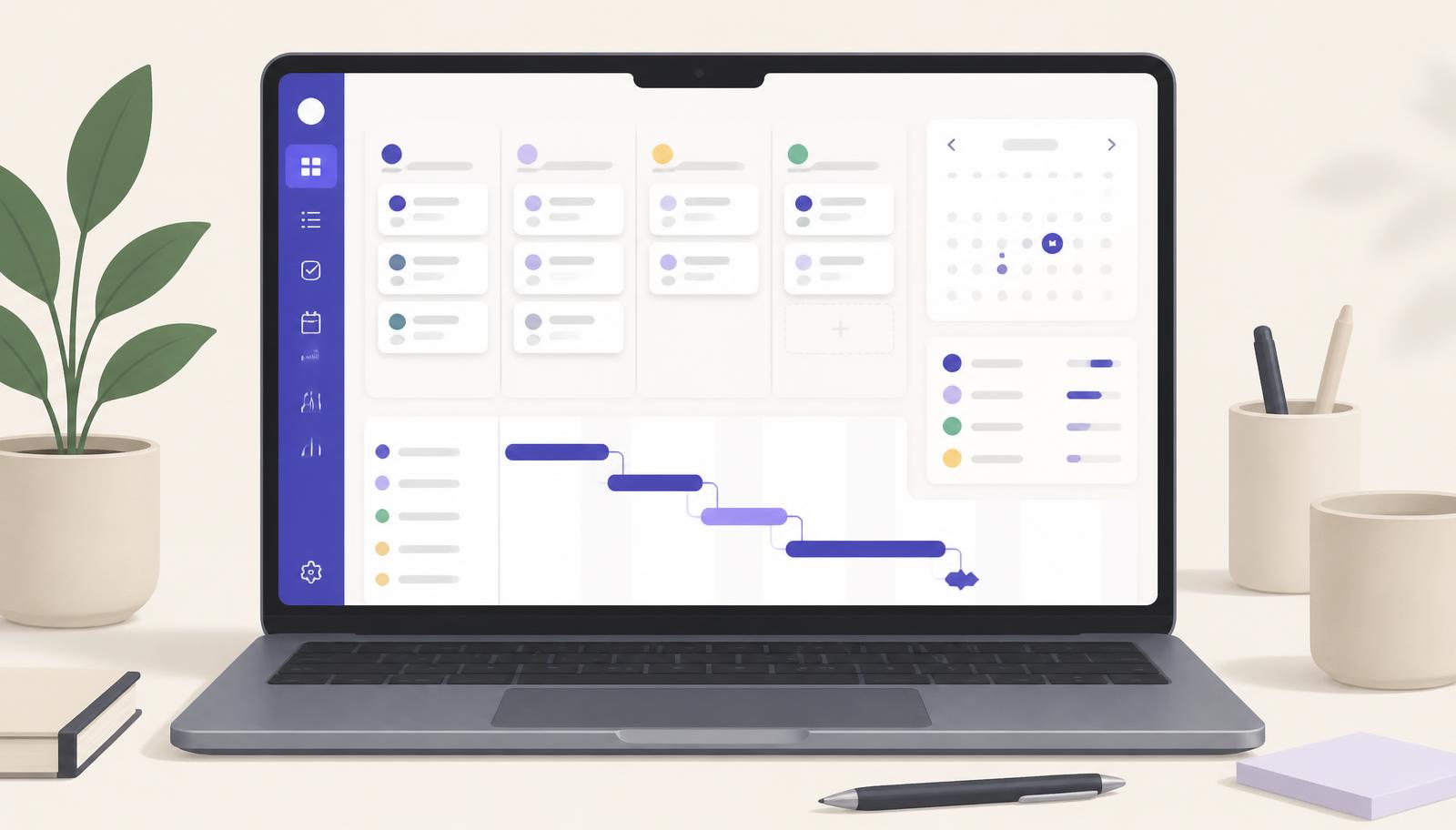
ClickUp
- Starting price
- Free, paid from $7/user/mo
- Best for
- Freelancers managing multiple clients or projects in one workspace.
- Free plan
- Free Forever plan with unlimited tasks and members
ClickUp is an all-in-one work management platform designed to bring tasks, projects, documents, goals, time tracking, automations, and AI into one workspace.
For freelancers, that can be appealing. Instead of combining a task manager, project management app, time tracker, documentation tool, and automation platform, you can potentially manage much of your workflow from one place.
But there is a trade-off.
ClickUp offers a huge amount of functionality, and that can make the platform feel more complex than simpler alternatives.
So, is ClickUp worth it for freelancers in 2026?
For freelancers managing multiple clients and projects, ClickUp can be a strong option. It becomes less compelling when your needs are limited to simple task management and you prefer a lightweight setup.
ConfidencePilot rating: 4.2/5
At a glance
| Best for | Freelancers managing multiple projects or clients |
| Free plan | Yes |
| Paid plans | From $7/user/month billed annually |
| Project management | Excellent |
| Time tracking | Yes |
| Automations | Yes |
| AI | Available through ClickUp Brain and other AI features |
| Learning curve | Moderate to high |
| Best use case | Managing complex freelance workflows in one platform |
Pricing and feature availability can vary by plan, workspace, and ClickUp's evolving product structure. Current pricing information was checked in September 2026.
What is ClickUp?
ClickUp is a work management platform that combines project management and productivity tools in a single workspace.
Its core system is built around tasks and a hierarchy that lets users organize work into Spaces, Folders, Lists, and tasks. From there, you can add documents, custom fields, dependencies, recurring tasks, time tracking, dashboards, automations, and other tools.
ClickUp also increasingly integrates AI into the workspace through ClickUp Brain, AI-powered features, and Super Agents.
The idea is straightforward: instead of switching between several applications, you can keep more of your work in one system.
That can be useful for freelancers who have several clients, recurring processes, deadlines, meetings, and administrative tasks to manage.
ClickUp pricing in 2026
ClickUp currently offers a Free Forever plan alongside paid plans including Unlimited and Business, with Enterprise pricing available for larger organizations.
The current published base pricing is:
| Plan | Annual billing | Monthly billing |
|---|---|---|
| Free Forever | $0 | $0 |
| Unlimited | $7/user/month | $10/user/month |
| Business | $12/user/month | $19/user/month |
| Enterprise | Custom | Custom |
ClickUp's official pricing information confirms Free Forever at $0, Unlimited at $7/user/month when billed annually, and Business at $12/user/month annually.
Free Forever
The Free Forever plan is more substantial than you might expect from a typical free project management plan.
It includes unlimited tasks and unlimited members, along with features such as collaborative Docs, Kanban boards, Calendar view, Sprint Management, basic Custom Fields, two-factor authentication, and 60MB of storage.
That makes it a practical starting point for a freelancer who wants to see whether ClickUp fits their workflow before paying for a subscription.
The main limitation is that some of the more advanced functionality is restricted by plan, including certain reporting, automation, collaboration, and other features.
Unlimited
The Unlimited plan adds more capacity and advanced functionality, including unlimited storage, Gantt charts, and native time tracking.
For a freelancer, this is where ClickUp starts becoming more useful as a central business workspace rather than simply a task manager.
Business
Business is aimed more at teams and more advanced workflows. It adds deeper reporting and management functionality and higher automation limits.
For a solo freelancer, the extra capabilities may not be necessary unless your workflow has become fairly complex.
Does ClickUp have a free plan?
Yes.
ClickUp's Free Forever plan is one of its most notable features, particularly for freelancers who want to experiment without immediately committing to a paid subscription.
You can create unlimited tasks and use features including Docs, Kanban boards, Calendar, and basic customisation without paying for a subscription.
The free plan does have limits, however, including storage and restrictions on certain advanced features.
For that reason, the free version is best viewed as a way to test the platform rather than an indication that every ClickUp feature is available at no cost.
ClickUp features for freelancers
Project and task management
Project management is where ClickUp is strongest.
You can break down client work into structured projects and tasks, create subtasks, assign deadlines, set priorities, add dependencies, and create recurring tasks.
Multiple views are available, including List, Board, Calendar, Gantt, Timeline, Table, and Workload views.
This makes ClickUp flexible enough for different working styles and types of freelance work.
For example, a freelance copywriter could create a separate Space or Folder for each major client, with Lists for ongoing work, upcoming projects, and recurring deliverables.
A designer could use the same structure for client projects, revisions, approvals, and deadlines.
Time tracking
Native time tracking is particularly useful for freelancers who bill clients by the hour.
ClickUp allows users to track time directly against tasks, with timers available across web, desktop, and mobile. Time entries can also contain information such as billable status.
ClickUp also provides time reporting functionality, allowing tracked time to be analysed through views and dashboards.
That means you can connect the work itself with the time spent on it instead of maintaining a separate time-tracking system. If you still send invoices from another tool, our guide to the best invoicing software for freelancers covers how tracked hours usually reach a client invoice.
This is one of the areas where ClickUp can potentially replace another tool in a freelancer's stack.
Automations
ClickUp includes workflow automations that can reduce repetitive administrative work.
You can create rules based on triggers and actions, such as updating task statuses, changing dates, or launching other workflow actions.
ClickUp also provides AI-assisted automation tools that allow users to describe the workflow they want and have ClickUp help configure the automation.
For freelancers, useful examples could include:
- Creating recurring administrative tasks
- Updating a project's status automatically
- Triggering actions when a task is completed
- Creating standardised client onboarding workflows
- Automating repetitive project administration
Automation limits vary by plan, so heavier automation users may need a paid tier.
ClickUp AI
ClickUp's AI offering has become a major part of the platform.
ClickUp Brain brings AI into tasks, Docs, conversations, and other parts of the workspace. It can be used for tasks such as summarising documents, drafting content, generating action items, finding information, and working with project data.
ClickUp also offers more advanced AI capabilities, including Super Agents and AI-powered automation features.
For freelancers, this could be useful for tasks such as:
- Summarising project information
- Turning notes into action items
- Drafting documentation
- Finding information inside a workspace
- Supporting repetitive workflows
There is one important catch: AI pricing and availability are separate from the basic ClickUp subscription structure and can vary by plan and add-on.
So anyone choosing ClickUp primarily for AI should look at the total cost rather than assuming AI is fully included in the base subscription. If meeting notes are the main reason you want AI, our guide to choosing an AI meeting assistant explains where a dedicated tool still works better.
ClickUp Docs
ClickUp is not just for tasks.
Docs allow users to create documentation, project briefs, internal knowledge, meeting notes, and other written content inside the same workspace.
This can be useful for freelancers who want project information and documentation connected directly to their tasks.
For example, a client project could include the project plan, meeting notes, deliverables, deadlines, and associated tasks without relying on several disconnected applications.
The integration with ClickUp Brain also means Docs can be summarised, edited, and turned into action items using AI features.
ClickUp for managing multiple clients
This is one of the strongest reasons a freelancer might consider ClickUp.
A more complex freelancer workflow could look something like this:
- Space: Freelance Business
- Folder: Client A. Lists: Projects, Recurring Work, Admin
- Folder: Client B. Lists: Projects, Recurring Work, Admin
- Folder: Internal. Lists: Marketing, Finance, Business Development
Within each project, you can add tasks, deadlines, dependencies, time tracking, documents, and automation rules.
The exact structure depends on how much organisation you need, but ClickUp gives you the flexibility to build a fairly detailed system.
For freelancers handling several clients at once, that flexibility can be useful.
For someone managing only a handful of simple tasks, it can also be more structure than necessary.
ClickUp integrations
ClickUp integrates with a wide range of external services, including tools used for communication, calendars, storage, development, CRM, and automation.
The ecosystem includes integrations with services such as Google Workspace, Microsoft tools, Slack, Zoom, GitHub, Dropbox, OneDrive, HubSpot, Salesforce, and time-tracking platforms.
ClickUp also supports automation platforms and APIs for more advanced workflows.
The practical advantage is that ClickUp does not have to operate as an isolated system. You can connect it to other tools where necessary, alongside the rest of your freelance business software.
Is ClickUp easy to use?
This is probably the biggest weakness for freelancers.
ClickUp gives you a lot of control, but that also means there is more to learn.
The platform offers extensive configuration, multiple views, custom fields, automations, dashboards, Docs, permissions, integrations, and AI features.
That flexibility can be valuable once your workspace is organised.
Getting to that point can take some time.
Even ClickUp's own comparison material notes that its depth of configuration creates a steeper initial learning curve than simpler project management software.
For freelancers who enjoy building structured systems, this may not be a problem.
For people who simply want a clean list of things to do, it could feel like overkill.
ClickUp pros and cons
Pros
- **Strong free plan.** The Free Forever plan includes unlimited tasks and members plus several useful productivity features.
- **Excellent project management.** Tasks, dependencies, multiple views, recurring work, and project organisation make ClickUp highly flexible.
- **Native time tracking.** Useful for freelancers who need to track billable hours directly against work.
- **Powerful automation.** Useful for reducing repetitive administrative work and standardising workflows.
- **AI integrated into the workspace.** ClickUp Brain can work with tasks, Docs, and other workspace information.
- **Large integration ecosystem.** ClickUp can connect with many of the tools freelancers already use.
Cons
- **Learning curve.** The amount of functionality can make setup and onboarding more demanding.
- **Can be overkill.** Freelancers with simple workflows may not need ClickUp's level of complexity.
- **AI can increase the total cost.** AI functionality is not simply equivalent to having all AI capabilities included in the base plan.
- **Free plan has limits.** The free tier is generous, but storage and certain advanced capabilities are restricted.
- **Pricing can become complicated.** The combination of plans, feature limits, and AI add-ons means the headline subscription price does not always represent the complete cost of a more advanced setup.
ClickUp vs simpler productivity tools
ClickUp sits at the more feature-rich end of the productivity market.
If you mainly need simple task management, a lighter application such as Todoist or Trello may feel easier to manage.
If you want documents and flexible knowledge management, Notion can be a natural alternative.
If you want structured project management without as much configuration, Asana is another option.
The main difference is not simply the number of features.
It is how much control you want over the way your workflow is built.
ClickUp is designed for users who are comfortable customising their workspace and bringing several workflows together. That can be valuable, but it also creates more initial complexity. Other options are covered across our productivity software reviews.
Who should use ClickUp?
ClickUp makes the most sense for freelancers who:
- Manage multiple clients or projects
- Need more than a simple task list
- Track billable time
- Want to automate repetitive processes
- Need documents and tasks connected
- Want to consolidate several productivity tools
- Expect their workflow to become more complex over time
It may be less suitable for freelancers who:
- Only need basic task management
- Prefer minimal interfaces
- Do not need project dependencies or automation
- Want the fastest possible setup
- Would not use most of ClickUp's advanced functionality
Is ClickUp worth it for freelancers?
ClickUp can be worth it for freelancers, but the answer depends heavily on how complex your workflow is.
A freelancer managing several clients, deadlines, deliverables, tracked hours, recurring tasks, documents, and automations could benefit significantly from having these elements in one workspace.
Someone who simply needs to remember what to do today may find the platform harder to justify.
The Free Forever plan makes ClickUp relatively easy to test without an initial subscription cost, so freelancers can explore the workflow before deciding whether they need paid features.
The biggest question is therefore not whether ClickUp has enough features.
It is whether you actually need them.
Our verdict
ConfidencePilot rating: 4.2/5
ClickUp is a powerful all-in-one work management platform with unusually broad functionality for freelancers.
Its combination of project management, time tracking, automation, Docs, integrations, and AI can make it possible to consolidate a large part of a freelance workflow into one system.
The trade-off is complexity.
ClickUp takes more time to learn and configure than simpler productivity tools, and the cost can increase if you need advanced functionality or additional AI capabilities.
For freelancers running multiple projects and looking for a system that can grow with their workflow, ClickUp is worth investigating.
For simpler freelance workflows, a lighter tool may be easier to live with.
Bottom line: ClickUp is particularly relevant when you need a flexible system for managing complex freelance work. Its breadth is its main strength, but also the reason it will not be the right fit for everyone.
Frequently asked questions
Is ClickUp free for freelancers?
Yes. ClickUp offers a Free Forever plan with unlimited tasks and members, plus features such as Docs, Kanban boards, Calendar, and other core productivity functionality.
How much does ClickUp cost?
The current published annual pricing starts at $7/user/month for Unlimited and $12/user/month for Business. A Free Forever plan is also available.
Does ClickUp have time tracking?
Yes. ClickUp includes native time tracking, with availability and limits varying by plan.
Does ClickUp have AI?
Yes. ClickUp Brain provides AI capabilities across parts of the workspace, while additional AI functionality includes Super Agents and other AI-powered features. AI availability and pricing vary by plan and add-on.
Is ClickUp good for managing clients?
ClickUp can work well for freelancers who manage multiple clients because projects, tasks, documents, deadlines, time tracking, and workflows can be organised in the same workspace.
Is ClickUp difficult to learn?
ClickUp can take more time to learn than simpler project management tools because of its large number of configuration options and features.
What is the best ClickUp plan for freelancers?
There is no single plan that fits every freelancer. The Free Forever plan can be enough for relatively simple workflows, while Unlimited may make more sense for freelancers who need greater capacity and features such as unlimited storage and native time tracking.
Editorial note
ConfidencePilot reviews are based on independent research using publicly available information and official product documentation. We do not claim personal hands-on testing unless explicitly stated.
ClickUp pricing and feature availability can change, so readers should confirm the current terms on ClickUp's official website before subscribing. Pricing, plan limits, time tracking, and AI functionality were checked against ClickUp's official pricing, features, ClickUp Brain, and help documentation in September 2026.